A Simple Guide to Using Temp Mail for Snapchat
Ever worry about getting spam whenever you sign up for a new app? Honestly, everyone does! Sharing your personal email feels risky. You might be wondering how to keep your main inbox spotless. Using a free temporary email is a smart solution. This simple guide shows you exactly how to use temp mail for Snapchat. You can protect your privacy easily.
What is Temp Mail and Why Use It?
Think of temp mail as a burner phone for your email address. It usually lasts for a short time, maybe a day or two. You can use this email address for registration on social media sites. Your real email address stays private. This is great for avoiding promotional emails and spam.
Why You Need Temp Mail for Snapchat
Snapchat is a nice app for having fun, capturing pictures, and editing photos, but it needs an email to sign up. If you just want to test the app, why use your main email? Maybe you want to create a second account. This is where temp mail for Snapchat saves the day. It handles the verification process perfectly.
For example, imagine you sign up for lots of sites in a month. Only a few are trustworthy. The rest will flood your email with newsletters you never asked for. Using a free temporary email stops that spam mail before it starts.
Choosing the Best Temp Mail for Snapchat
So, which service is the best? Well, you need a service that is reliable and fast. The email must arrive quickly. It must also give you time to complete the verification step. We recommend a solid, dependable temp mail service. Look for features like:
Instant address generation.
Real-time inbox updates.
A clean, easy-to-use interface.
Step-by-Step Guide: Using Temp Mail for Snapchat
Ready to sign up for Snapchat without the privacy headache? Using temp mail for Snapchat is simple. Just follow these easy steps.
Step 1: Get Your Free Temporary Email Address
First, open your browser. Navigate to your chosen temp mail service. (Like: tememail.org
Wait for the address to appear.
Click the "Copy" button next to the address.
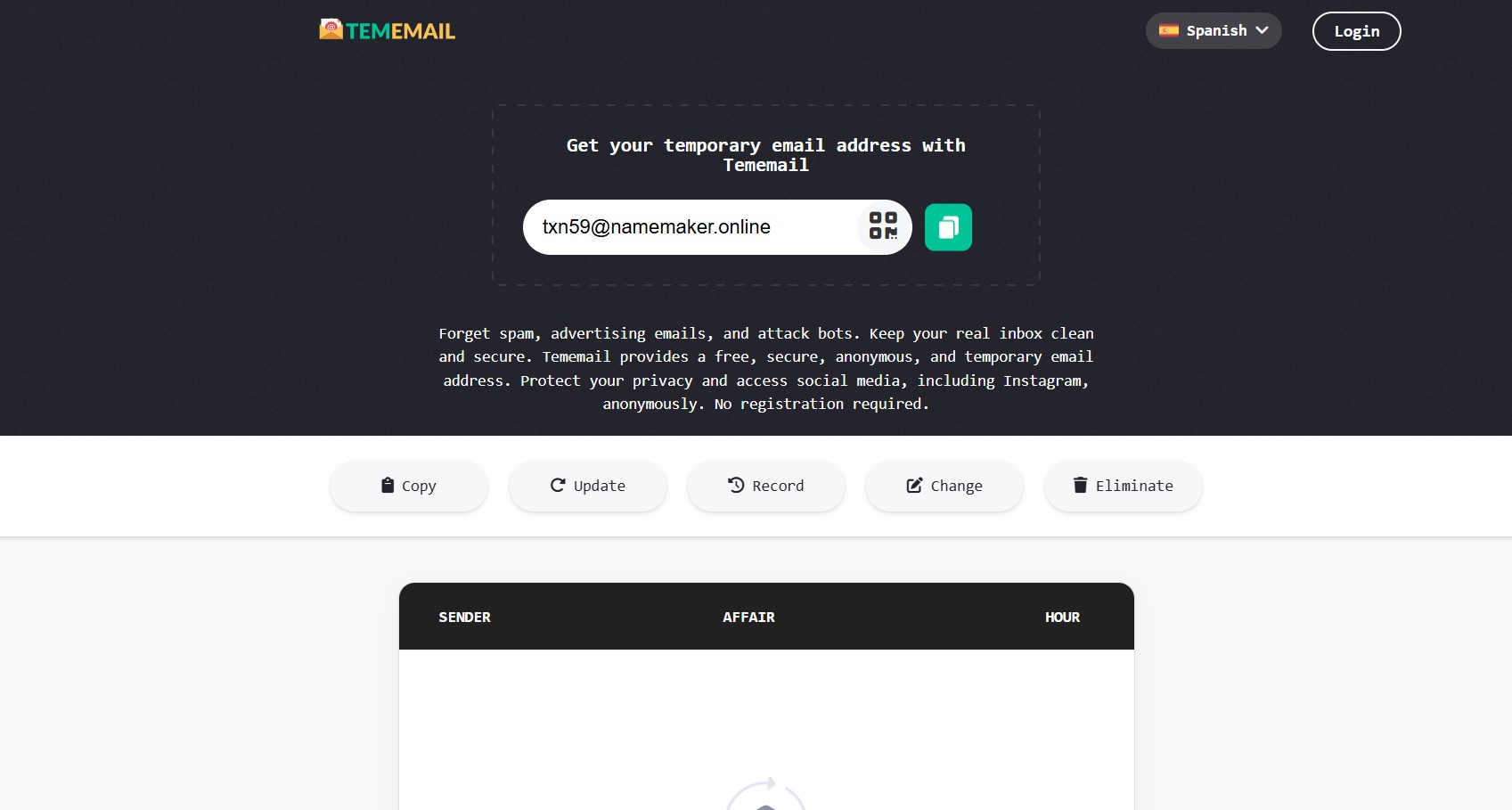
Now you have a free temporary email ready to use.
Step 2: Start Your Snapchat Registration
Open the Snapchat app on your phone. Tap the "Sign Up" button. You will enter your name and birthday.
Proceed to the email input field.
Snapchat needs this email for verification.
Step 3: Paste Your Temp Mail for Snapchat
Instead of your personal email, paste the address you copied in Step 1. This connects your new account to the temporary inbox.
Enter a strong password.
Complete any final details on Snapchat.
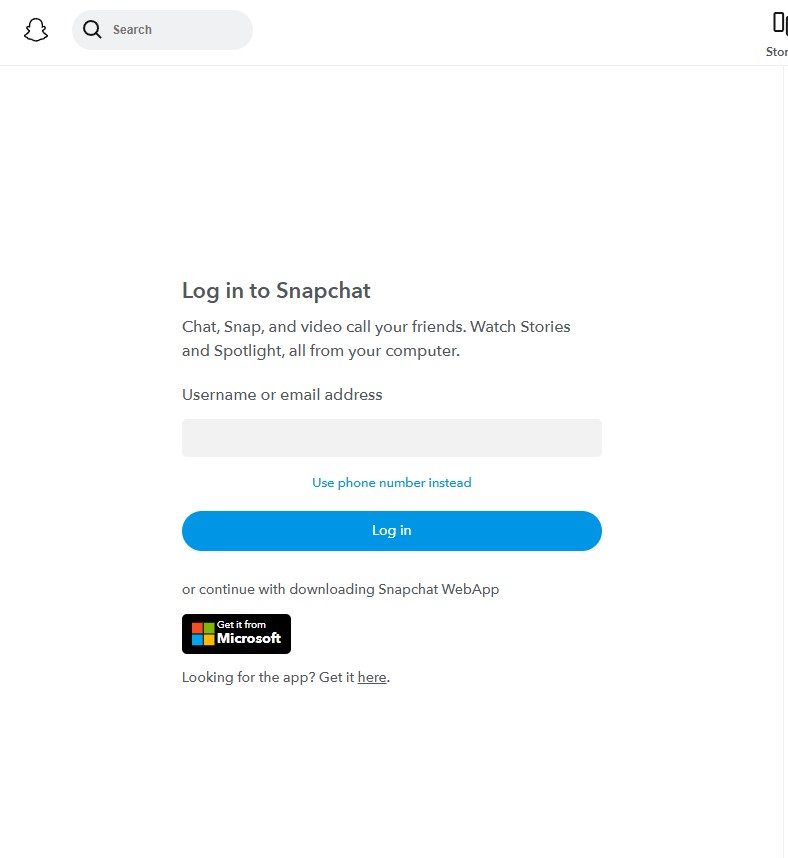
Snapchat now sends a verification email.
Step 4: Verify Your Snapchat Account
Before using Snapchat, you must verify your email address. Go back to your temp mail website tab. You should see a new email in the temporary inbox almost instantly.
Look for the email from Snapchat.
Click to open the message.
Click the "Verify Email" link inside.
You successfully verified your account! This step proves that your temp mail for Snapchat worked.
Step 5: Finish Setting Up
Now, go back to the Snapchat app. You completed the email verification part. Finish creating your account.
You might add a phone number or skip it.
Start snapping!
Your main inbox stays safe and clean.
You now have a new Snapchat account using your free temporary email. That was painless, right?
Read More: Why Use Temp Mail for TikTok?
Using temp mail for Snapchat REG is a brilliant choice; it's a simple way to maintain your online privacy. You get to use the app you love without the hassle of spam. It's a quick, easy, and smart move. Keep your digital life tidy. Now, go enjoy your spam-free snapping!