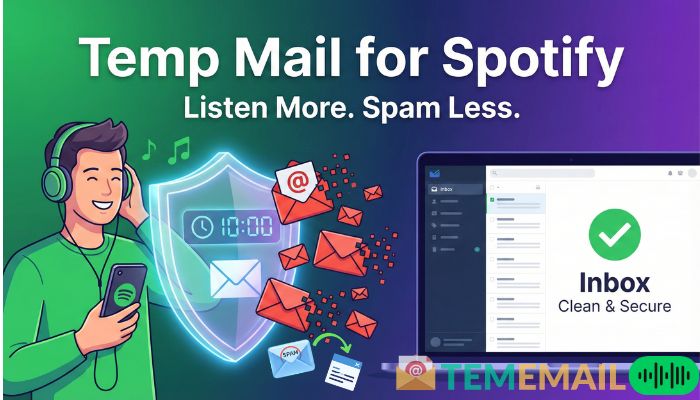
Why You Need Temp Mail for Spotify?
We all love music. But nobody loves a cluttered inbox. When you sign up for a website, and suddenly, you’re drowning in newsletters. It happens to us. You just wanted to listen to that new album, new songs, right? But you didn’t ask for daily updates in your email.
This is where a free temporary email helps you. It’s a simple trick, but it changes everything.
If you are tired of spam or just want to test a premium trial without commitment, you are in the right place. Let’s dive into how this works and why it’s a game-changer for music lovers.
What Exactly Is Temp Mail for Spotify?
You might be wondering, “What is this magic tool?” Well, it’s not magic. It’s just smart tech.
A temporary email is exactly what it sounds like. It is a disposable email address. It lasts for a short time, maybe 10 minutes, maybe an hour. You use it once to sign up, verify your account, and then forget about it.
Think of it like a burner phone, but for the internet.
You get the verification code you need. You get into your account. But you never have to deal with the promotional emails that follow. It keeps your real, personal email address safe and clean.
Why Use a Temp Mail for Spotify?
You might ask, Why not use a real email?
That is a fair question. Using your main email is fine for banking or work. But for streaming apps? It can be a hassle.
Here is why people are switching to temp mail for Spotify:
Avoid Spam mail: This is the big one. Spotify sends a lot of email notifications. Recommendations, concert alerts, podcast updates. It adds up fast.
Privacy Protection: Your data is valuable. When you use a disposable address, you aren't handing over your primary contact info. It adds an extra layer of safety.
Testing New Features: If you just want to see how the app works? A temporary email lets you date the app first.
Create Multiple Accounts: Maybe you have a family member who needs a separate account on the family computer. This makes setup quick.
It just gives you peace of mind. You control who has your real contact info. If you want to create an Instagram account by using a temporary email address, then you can read this article and follow the steps on how to use Temp Mail for Instagram.
How to Use Temp Mail for Spotify: A Step-by-Step Guide
It's super simple. You don't need to be a tech wizard.
Follow these simple steps to set up your Spotify account.
Step 1: Find a Temp Mail Service
First, you need a free email generator. There are plenty of free ones. Search for things like 10 minute mail, 5 minute mail, or 20 minute mail.
Any free temporary email service will do the trick. Open one of these pages in a new tab.
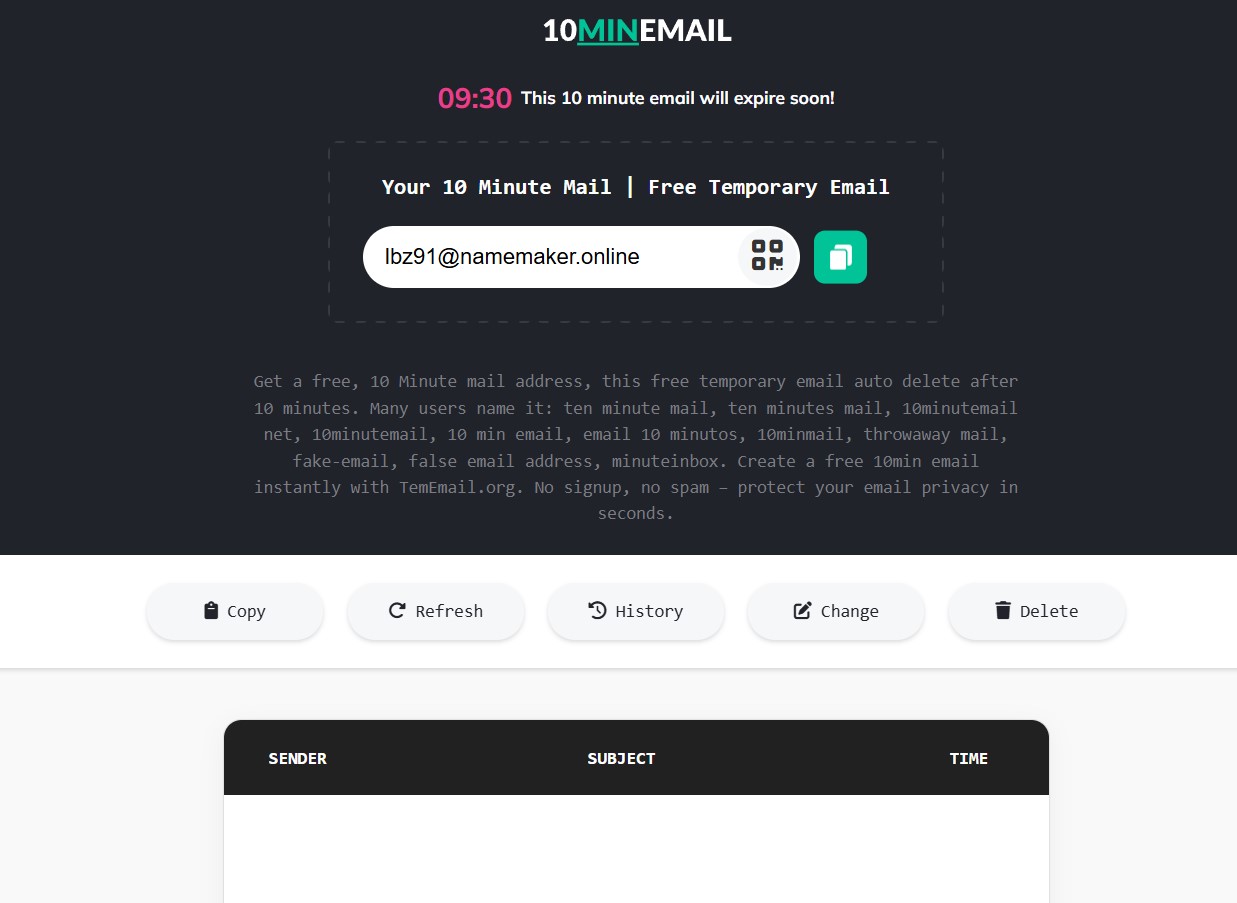
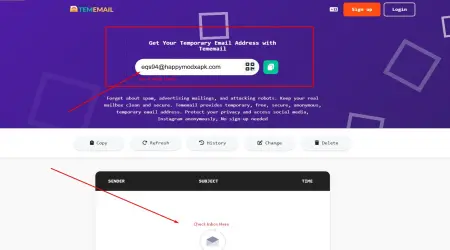
Step 2: Copy Your New Address
On the site, you will see a weird-looking email address. It might look like a jumble of letters. That is normal.
Click the "Copy" button.
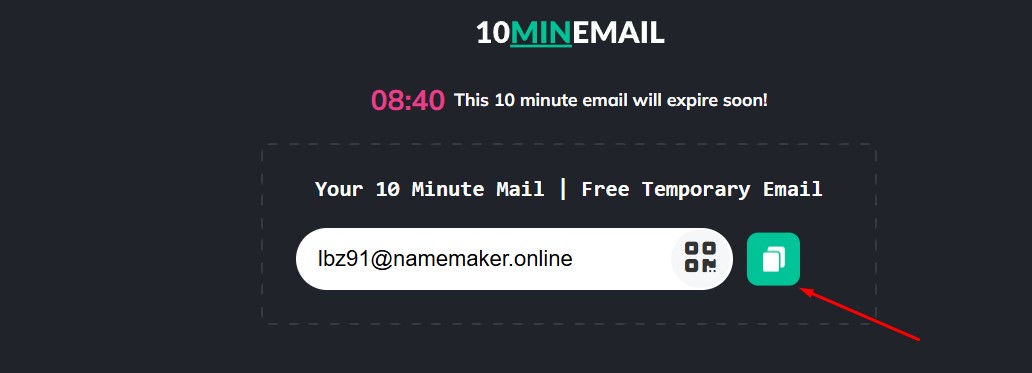
Step 3: Go to Spotify
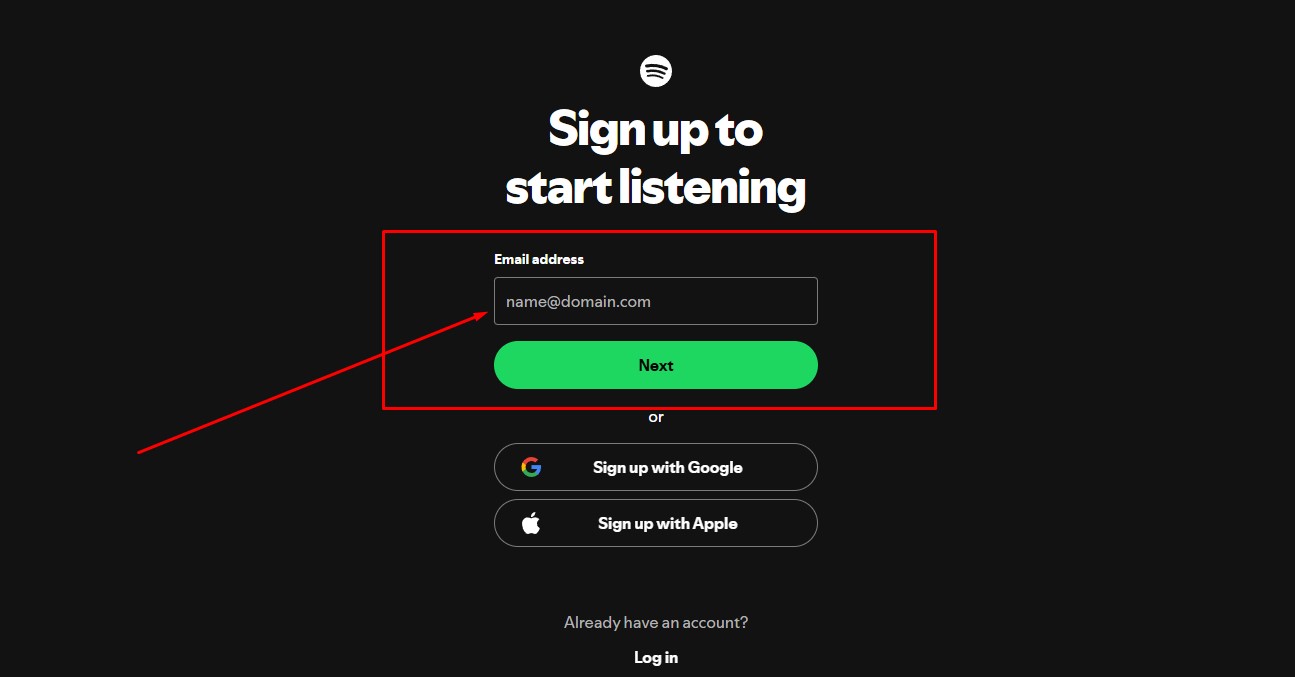
Open Spotify’s signup page. You can do this on the web or in the app. Click on "Sign Up."
When it asks for your email, paste the temporary email address you just copied.
Step 4: Fill in the Details
Create a password. Add a profile name and your date of birth.
Click "Sign Up."
Step 5: Verify the Email
Spotify usually asks you to verify your email. Go back to your temp mail tab.
Refresh the page if you need to. You should see an email from Spotify in your inbox. Open it and click the verification link.
Congratulations! You are in. You can now listen to music.
Does Temp Mail for Spotify Work for Premium Trials?
Everyone asks this question. "Can I get a free trial on Spotify with a temporary email?"
The short answer? Often, yes! You can try to use a free temporary email for a Spotify trial.
Many people use temp mail for Spotify to access those 1-month to 3-month free trials. It allows you to test out the premium features, like no ads and offline listening without linking your real email.
However, there is a catch.
You still need a payment method. Spotify requires a card or PayPal for the trial. The email address is just for the account login.
So, while the email part is easy, you still need to remember to cancel the subscription before the trial ends. The disposable email won't remind you because it deletes automatically after 48 hours.
Common Issues with Temp Mail
Is it always smooth sailing? Not always.
Sometimes, things get a little tricky. Here are a few hiccups you might face when using a disposable temporary email for Spotify:
Blocked Domains: Spotify's algorithm is smart. Sometimes they recognize a disposable email address and block it. If you see an error message, don't panic. Just try a different temp email address.
Lost Passwords: This is the most important thing. If you forget your Spotify password, you cannot reset it ever. Your email address is gone. Remember it carefully? So, pick a password you will remember later.
Account Locking: If Spotify detects suspicious activity, it might lock the account. Since you can't access the email, you might lose the account easily.
Best Tip for you: Only use a temp email for testing or temporary accounts. If you plan to build huge playlists over the years, use your real email (or a dedicated Gmail). Temp mail is best for quick access or testing.
Is temporary email legal?
You might be worried about the rules. Is this allowed?
Technically, there is no law against using a disposable email. You are simply protecting your privacy.
However, check Spotify's Terms of Service before creating an account. They prefer real users with real emails. While they likely won't ban you just for the email, they have the right to close accounts that look like bots.
But using a temporary email for Spotify is generally legal. Thousands of people use burner email address services every day for privacy. It is a common practice in the digital age.
Best Tips for Managing Your Spotify Account
If you decide to stick with your account, here are a few tips.
Even if you used a temporary email address for a Spotify account, you can change the email later.
Did you know that?
If you decide to keep your account, you can simply log in to your account, then go to settings, and swap the disposable email for your real one. This is a great way to transition from a "test" account to a "real" account.
Conclusion
Using a temp email for Spotify is a smart choice if you care about privacy. It helps keep your digital life organized, prevents your inbox from getting filled with marketing emails.